
Installation & management · support@itsupportex.com · 1-888-884-6246
Proxmox Power Module
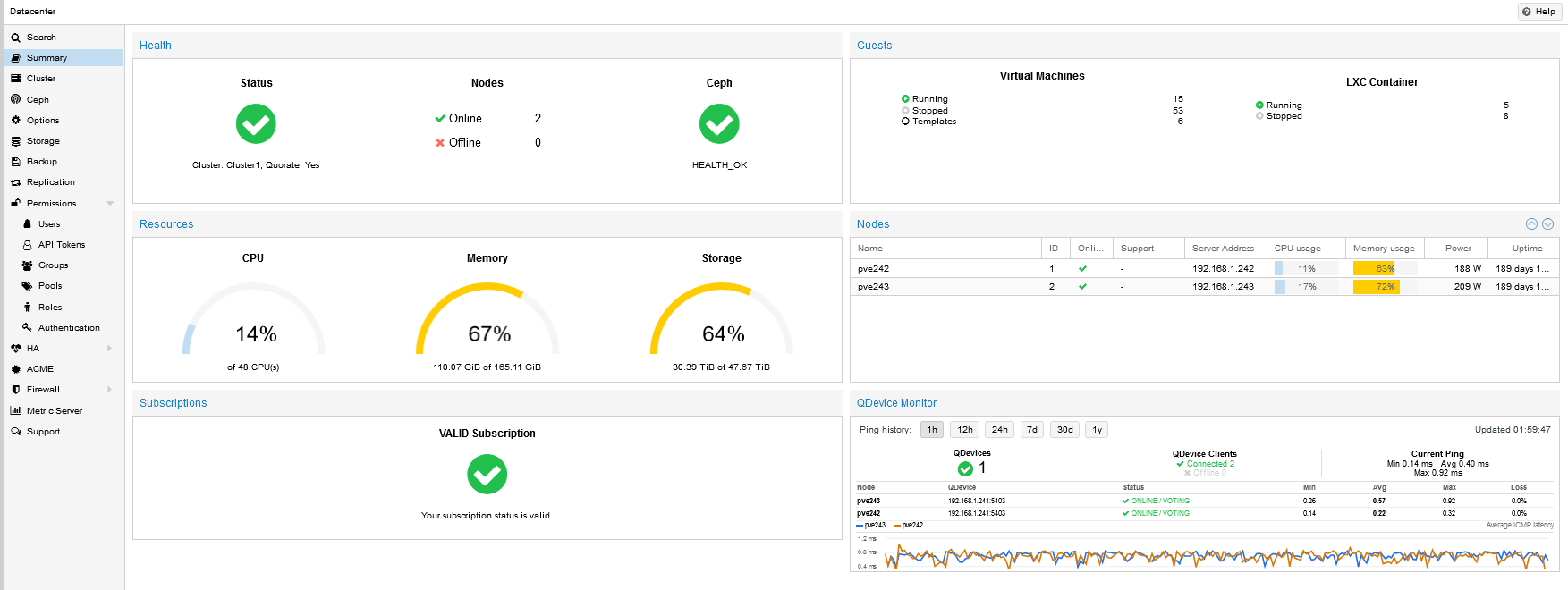
Display live node power readings in the Proxmox Datacenter Summary Nodes view.
Reviewed release: 5.3
1. Before installation
Reviewed targets: Proxmox VE 6.4 and 8.x; root access and supported whole-server BMC/IPMI sensors. Validate pve-manager version and installer hooks.
- Record the platform/application version and select its matched release.
- Back up configuration, application data and persistent storage; verify how to restore them.
- Read the included installer and release notes. Use a new extraction directory, preserve existing data and arrange a maintenance window.
- Obtain the package from IT Supportex and verify its published checksum when supplied. Do not paste licence keys or passwords into a support ticket.
2. Install or upgrade
These are server/application plugins, not WordPress plugins. Commands below apply only to the named release and environment.
pveversion
bash install-pve-node-power-column-pve6-pve8-v5.3.sh install
bash install-pve-node-power-column-pve6-pve8-v5.3.sh status
Run CWP and Proxmox commands as root on the intended target. For Leantime, run the bundled installer from its extracted directory on the Docker host and replace the container placeholder. Confirm filenames exist before executing.
3. Configure and verify
Install on one real PVE node first. Sign in as root@pam, open Datacenter → Summary → Nodes, and hard-refresh. Confirm the Power column and plausible watts. N/A can indicate unsupported BMC sensors, missing ipmitool or hooks. Sampling is on demand with five-second caching; the status command itself does not sample the BMC. For cluster deployment review install-cluster and remote access first.
4. Upgrade and recovery
Installer backs up Proxmox hook files. Uninstall is supported using the same script with uninstall. PVE 6/Buster installation may rewrite APT sources to archive repositories when ipmitool is missing: review that behavior before running. Management services restart during install; plan a maintenance window.
5. Get assistance
Send the platform version, plugin version, exact failing step and sanitized error output to support@itsupportex.com. We can scope installation, configuration, validation, documentation and management services for your environment.
Source basis & limitations
install-pve-node-power-column-pve6-pve8-v5.3.sh, header and platform checks
Instructions were reviewed from accessible release material; they have not been executed on your server during this website update. Licence and compatibility terms must match the actual distributed build.